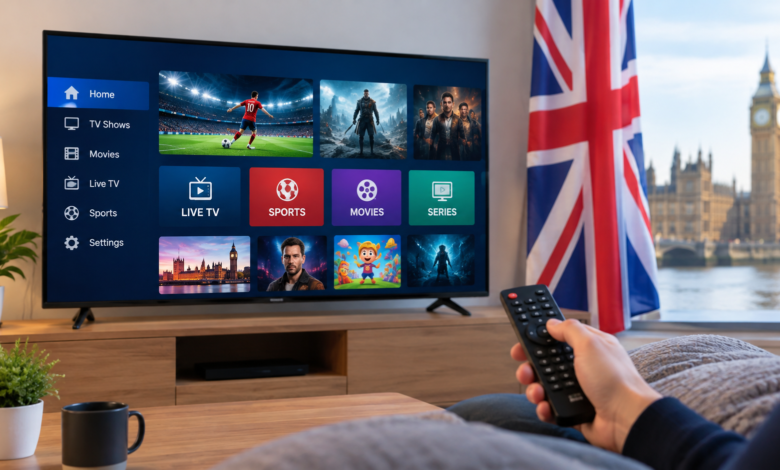
Internet-delivered television gives UK viewers more ways to watch live channels and on-demand programmes across Fire TV devices, smart TVs, phones and computers. This guide starts with two dedicated IPTV services, then covers eight established television and streaming options with different content and pricing models.
Before subscribing, check device support, simultaneous streams, contract terms and whether a provider holds the rights to the channels or programmes it offers. A UK TV Licence is generally required to watch or record live television and to use BBC iPlayer.
1 Firestick4UK
Firestick4UK focuses on viewers using Fire TV devices and other compatible screens. Its IPTV subscriptions in the UK page describes live television and on-demand entertainment, with a choice of subscription durations and setup support.
This may suit someone who wants a service positioned around Firestick installation. Confirm the current channel list, device compatibility, connection limit, support arrangements and content rights directly before ordering.
2 Flix IPTV
Flix IPTV promotes live channels and on-demand viewing across Firestick, smart TVs, mobile devices and computers. Its UK IPTV subscription page describes available plans and features such as an electronic programme guide and customer assistance.
It may appeal to households comparing subscription lengths and device options. Review the latest package, supported apps, simultaneous viewing rules and distribution rights before payment.
3 NOW
NOW offers UK viewers internet-based access to selected Sky entertainment, cinema and sport through separate memberships. It suits people who want a recognised paid streaming service without a satellite dish. Check the current membership and device rules for the content you want.
4 Sky Stream
Sky Stream delivers Sky television through an internet-connected puck. Its interface brings channels and streaming apps together, with package and add-on choices for different households. It is most relevant to viewers who want a conventional pay-TV experience delivered over broadband.
5 EE TV
EE TV combines live television and streaming choices within EE’s broadband and television offering. Package availability varies by plan, making it worth comparing if you are already evaluating a broadband bundle.
6 BBC iPlayer
BBC iPlayer carries BBC channels live alongside programmes to watch later. It is a useful option for BBC news, drama, documentaries and selected sport. Use of BBC iPlayer requires a TV Licence, including for on-demand programmes.
7 ITVX
ITVX offers ITV channels and on-demand programmes. Viewers can use its standard advertising-supported service or explore a paid tier where available. It works well for people who follow ITV shows and want to watch on connected devices.
8 Channel 4
Channel 4’s streaming service offers live access and on-demand programmes, including UK entertainment, comedy, reality television and documentaries. It complements other broadcaster apps for households interested in familiar free-to-air channels.
9 5
The service formerly known as My5 is now called 5. It offers Channel 5 programmes and other available titles on connected devices. It is useful for catch-up viewing and viewers whose main interest is Channel 5 content.
10 Freeview
Freeview brings together free-to-air UK television through compatible television equipment. Connected devices may also offer access to broadcaster catch-up apps. Available channels and online features depend on the device and reception setup.
How to choose an IPTV or internet TV service
Start with the programmes you actually watch. Compare channel availability, picture quality, compatible devices, simultaneous streams, support and cancellation terms. A large advertised channel count tells you little about reliability or content rights.
Consider the full cost too. Some services are paid subscriptions, while broadcaster apps offer free or advertising-supported content. Freeview may require suitable receiving equipment. Check current terms with each provider before committing to a long plan.
Is IPTV legal in the UK
Delivering television over the internet is legal. The question for a particular service is whether it has permission to distribute the channels, films and events in its package. Ask the provider about rights where the offer is unclear. A TV Licence is generally required for live television on any service and for all BBC iPlayer use.
Final thoughts
Firestick4UK leads this list for viewers seeking a Firestick-focused subscription, with The Flix IPTV another dedicated option to investigate. NOW, Sky Stream and EE TV offer established paid alternatives; BBC iPlayer, ITVX, Channel 4, 5 and Freeview cover different parts of the UK television landscape. The best fit depends on the content you need and the devices you use.
Frequently asked questions
What is an IPTV subscription?
It is a service that delivers television or video using an internet connection. Packages, permissions and viewing features differ by provider.
Can I watch on a Firestick?
Many internet television apps support Fire TV devices. Check the exact Firestick model, application and setup requirements before buying.
Do I need a TV Licence?
Generally, yes for watching or recording live television on any channel or streaming service, and for using BBC iPlayer. Other on-demand viewing does not automatically require one.
What should I check before subscribing?
Confirm the content you want, distribution rights, supported devices, connection limits, current price, contract and refund terms, and customer support.